Automatically & Dynamically generate, edit, and optimize image alt text in bulk for WordPress websites and WooCommerce stores. Improve Google Images visibility, accessibility, and on-page SEO without manual work.
5.0/5 Excellent reviews
SEO Boost Google Images
WPML Ready Multilingual
30% OFF
30-day money-back guarantee (Refund Policy)
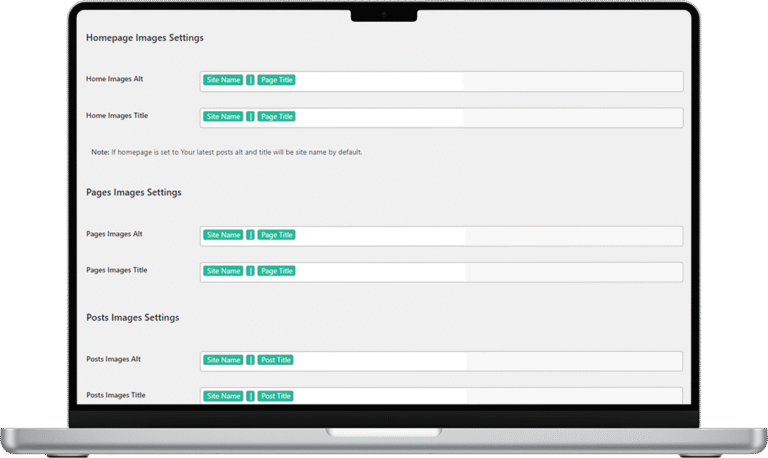
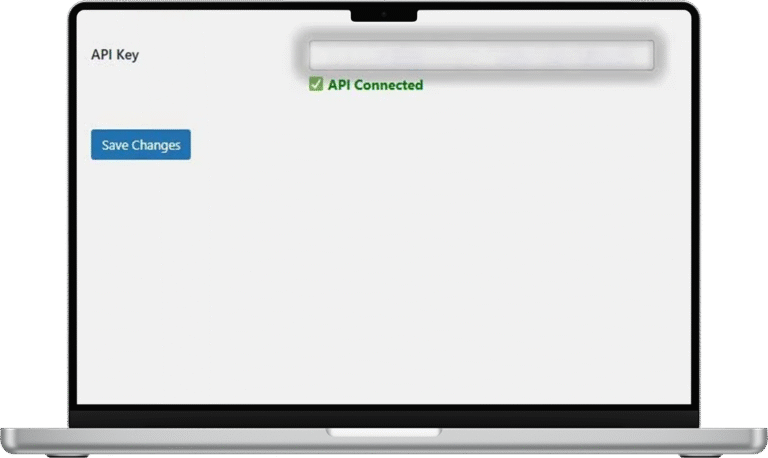
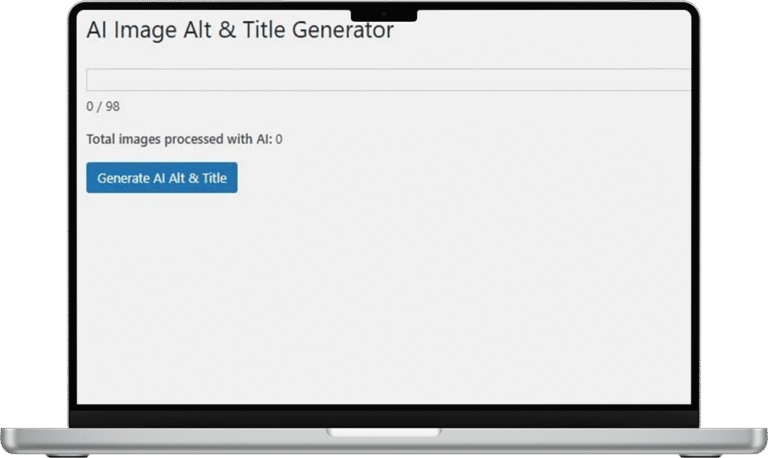
Automatically bulk update and generate dynamic image alt text based on content or media, ensuring your images are fully optimized for search engines. Effortlessly fill empty alt and title tags or replace existing ones with SEO-friendly, keyword-rich text to boost visibility and improve rankings. Save time, improve accessibility, and maximize your website’s search performance with smart, automated image optimization! 🚀
Apply SEO-friendly Alt text to all images with one click. Save time with automated bulk optimization for thousands of images.
Advanced AI technology automatically generates contextual and descriptive alt text based on image content and surrounding text.
Perfect for multilingual sites with dynamic Alt tags in different languages, ensuring consistent SEO across all locales and compatible with wpml.
Improve your visibility in Google Images search results and drive more organic traffic directly to your site.
Image Alt Text Manager makes SEO easy and efficient. Install the plugin, set up your preferred Alt text options in minutes, and watch your image SEO improve. With optimized Alt and Title attributes, your site is better positioned for search engines, bringing more organic traffic straight to your pages.
Your WordPress site title
Your site's tagline or description
Current page or post title
Individual post title
WooCommerce product name
Existing alt text from media library
Original filename without extension
Caption from media library
Description from media library
Most WordPress websites suffer from missing or poorly written image alt text.
And most plugins generate static alt text. Once generated, it never changes — even if your content changes. This leads to outdated, irrelevant alt text that hurts SEO instead of helping it.
Image Alt Text Manager generates dynamic image alt text that automatically adapts to your content.
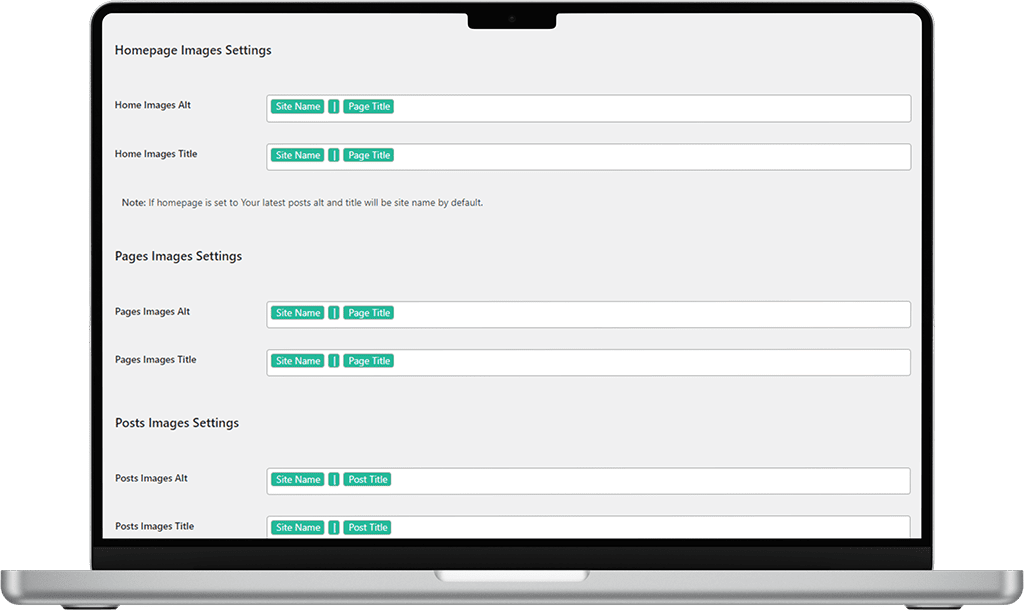
Customize your alt text with powerful dynamic values that automatically populate based on your content context.
Combine multiple values: "Site Name - Post Title - Image Name"
Join thousands of WordPress users who trust Image Alt Text Manager for their SEO optimization needs.
⭐⭐⭐⭐⭐ 5.0/5 Based on customer reviews
⭐⭐⭐⭐⭐
⭐⭐⭐⭐⭐
⭐⭐⭐⭐⭐
⭐⭐⭐⭐⭐
Ready to simplify your image optimization process? Buy Image Alt Text Manager now and start seeing the benefits of optimized Alt text across your entire WordPress site. Increase your visibility, improve your search rankings, and make your images work harder for you with Image Alt Text Manager.
Enhancing your website’s SEO is crucial, and optimizing image alt text plays a significant role in this process. The Image Alt Text Manager WordPress Plugin is designed to streamline this task.
Image Alt Text Manager lets you automatically generate SEO-friendly image Alt Text across your entire WordPress website in one click.
Use dynamic values like Site Name, Page Title, Post Title, or Image Name to create keyword-rich alt tags that search engines understand.
This feature helps Google connect your images with relevant keywords, improving your visibility on Google Images and driving consistent organic traffic.
You can combine multiple values to generate fully customized and descriptive alt text, for example:
Site Name – Post Title – Image Name or
Product Title | Brand | Image Description This creates consistent, keyword-rich alt tags that reinforce brand identity and improve indexing accuracy across your entire media library.
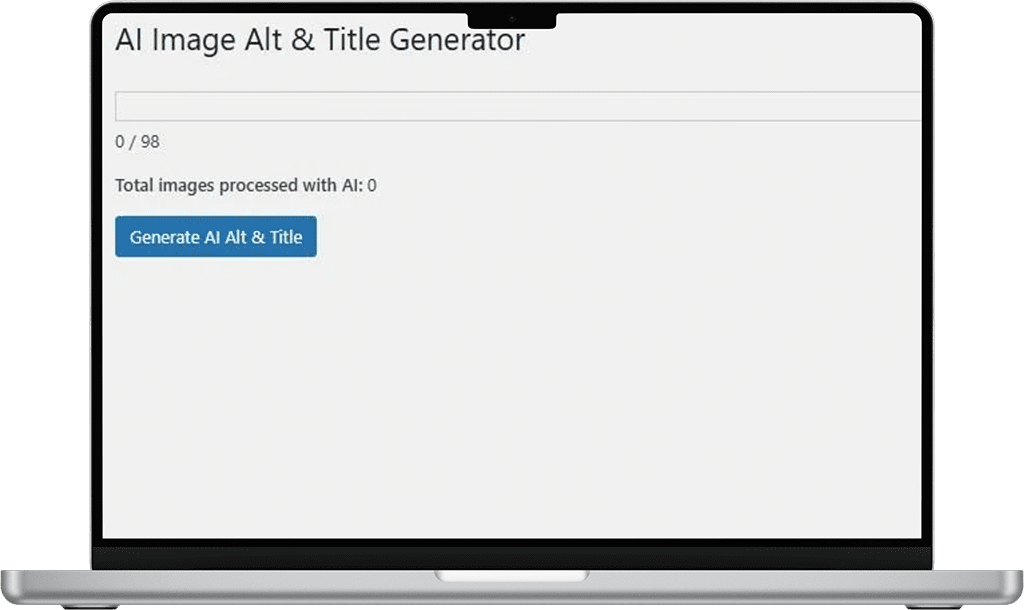
The AI Generation Feature (available in the Premium version) uses ChatGPT technology to create context-aware, descriptive alt text based on each image’s content and surrounding text.
It saves time, enhances accuracy, and keeps your alt attributes naturally written while boosting your site’s topical relevance and keyword depth.
Specifically optimized for WooCommerce, Image Alt Text Manager automatically fills in or replaces missing Alt and Title attributes for product images, category pages, and shop archives.
This helps your product listings appear more frequently in Google Images and visual search results, improving both organic traffic and conversion potential.
Manage image SEO for all your network sites from a single dashboard with Multisite support.
Network admins can set global rules while allowing site owners to customize their own image settings.
With full WPML compatibility, you can generate multilingual alt text automatically—no need for manual translation or duplicate effort.
Alt text isn’t just about SEO—it’s also vital for accessibility.
Accurate alternative descriptions improve screen-reader usability and ensure compliance with WCAG standards, while also strengthening PageSpeed Insights and Core Web Vitals signals by reducing unused metadata and improving semantic markup.
All plans include 30-day money-back guarantee and instant download
✓ Secure Payment ✓ Instant Download ✓ Regular Updates
Get answers to common questions about Image Alt Text Manager and how it can improve your WordPress image SEO.
This plugin automates the process of adding alt and title attributes to your images, improving your website’s accessibility and SEO performance. It dynamically generates SEO-friendly alt and title tags for all images, including featured images, without requiring manual changes in the media library.
By adding descriptive alt text to your images, search engines can better understand and index your content, enhancing your site’s visibility in search results. Proper alt text also helps your images appear in relevant Google Images searches, driving more organic traffic to your site.
Yes, the plugin allows you to customize the dynamic values used for alt and title attributes. You can set default values based on various parameters such as site name, site description, page title, post title, product title, image name, image caption, and image description.
Ensure that you’ve selected the appropriate settings in the plugin’s configuration panel (Dashboard > Settings > Image Alt Text Manager). Also, verify that you’re inspecting the correct image elements and clear any cache that might be affecting the display.
Everything you need to know about Image Alt Text Manager compatibility and features.
WordPress Version
5.0 or higher
WooCommerce
Full Support
WPML Ready
Multilingual
Multisite Support
Network Ready
Current Version
Latest Pro
Last Updated
January 2025
File Size
Lightweight
Installation
One-Click Setup
Bulk Generation
Unlimited
AI Technology
Advanced
Dynamic Values
8+ Options
Google Images
Optimized
Premium Support
Priority
Money-back
30 Days
Documentation
Complete
Update Frequency
Regular